

What is the Best Cabinet Design Software for Smart Woodworkers?
The Best Cabinet Design Software for Smart Woodworkers in 2026
Cabinet design software helps woodworkers, kitchen designers, and homeowners plan, visualize, and manufacture cabinets with speed and accuracy — before a single cut is made.
Here are the top options at a glance:
| Software | Best For | Pricing (as of May 2026) |
|---|---|---|
| Mozaik CNC | Production CNC shops | $195/month |
| Mozaik Manufacturing | Non-CNC cabinet shops | $95/month |
| Pro100 | Professional cabinet makers | Paid (demo available) |
| Cabinet Planner | Hobbyists & small shops | $69.95 one-time |
| CabBuilder | Direct-to-CNC workflows | Paid (demo available) |
| PolyBoard | DIYers & professionals | Free version available |
| Quick3DPlan | Kitchen & bath designers | Subscription (7-day free trial) |
| KitchenDraw | Furniture designers | Pay-per-hour |
| Infurnia | Cloud-based team design | Free for individuals |
Whether you’re a professional cabinetmaker running a production shop or a homeowner planning a kitchen remodel in Albuquerque, choosing the right tool can be the difference between a smooth project and a costly headache.
The stakes are real. Most customers cannot visualize finished cabinets from a flat floor plan or elevation drawing. The right software solves that problem — instantly — with photorealistic 3D renderings you can share with clients on a laptop during a consultation.
And the efficiency gains are significant. A kitchen for a typical middle-income home can be fully designed in around 20 minutes using dedicated cabinet design tools — far faster than pencil-and-paper methods.
This guide breaks down the best options available in 2026 so you can find the right fit for your workflow, budget, and skill level.
Why Modern Woodworkers Rely on Cabinet Design Software
In the woodworking industry, accuracy is everything. A single miscalculated cabinet depth or door overlay can lead to layout inconsistencies and delay your project timeline. This is why smart woodworkers and designers have moved away from manual drafts and embraced dedicated cabinet design software.
Using digital design tools dramatically reduces material waste. Traditional hand-drafting makes it incredibly easy to miscalculate sheet yields. Modern software, however, features integrated panel optimizers that automatically nest parts on standard plywood sheets. This ensures you extract every square inch of usable material, boosting your profitability on every job.
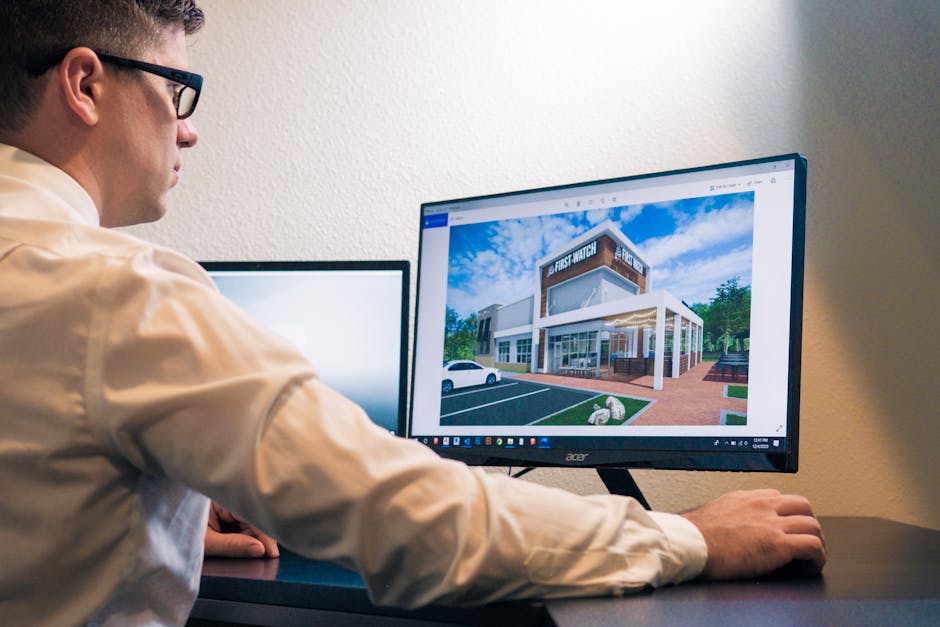
Beyond the workshop floor, these tools are game-changers for client communication. When homeowners are planning a major renovation, they often struggle to conceptualize how different door styles, wood species, or paint colors will look in their physical space. By generating high-definition 3D renderings and 360-degree panoramic views, you can give them a virtual walkthrough of their future kitchen. This level of visualization builds immense trust and helps close sales quickly.
If you’re exploring how custom design elements come together in a physical space, check out our guide on Options to Design Your One-of-a-Kind Kitchen Cabinets to see how custom shapes, materials, and configurations combine to create breathtaking results.
Key Features to Look For in Professional Cabinet Design Software
If you’re shopping for the perfect program, it’s easy to get overwhelmed by the sheer number of features. To get the most return on your investment, prioritize software that masters these five core capabilities:
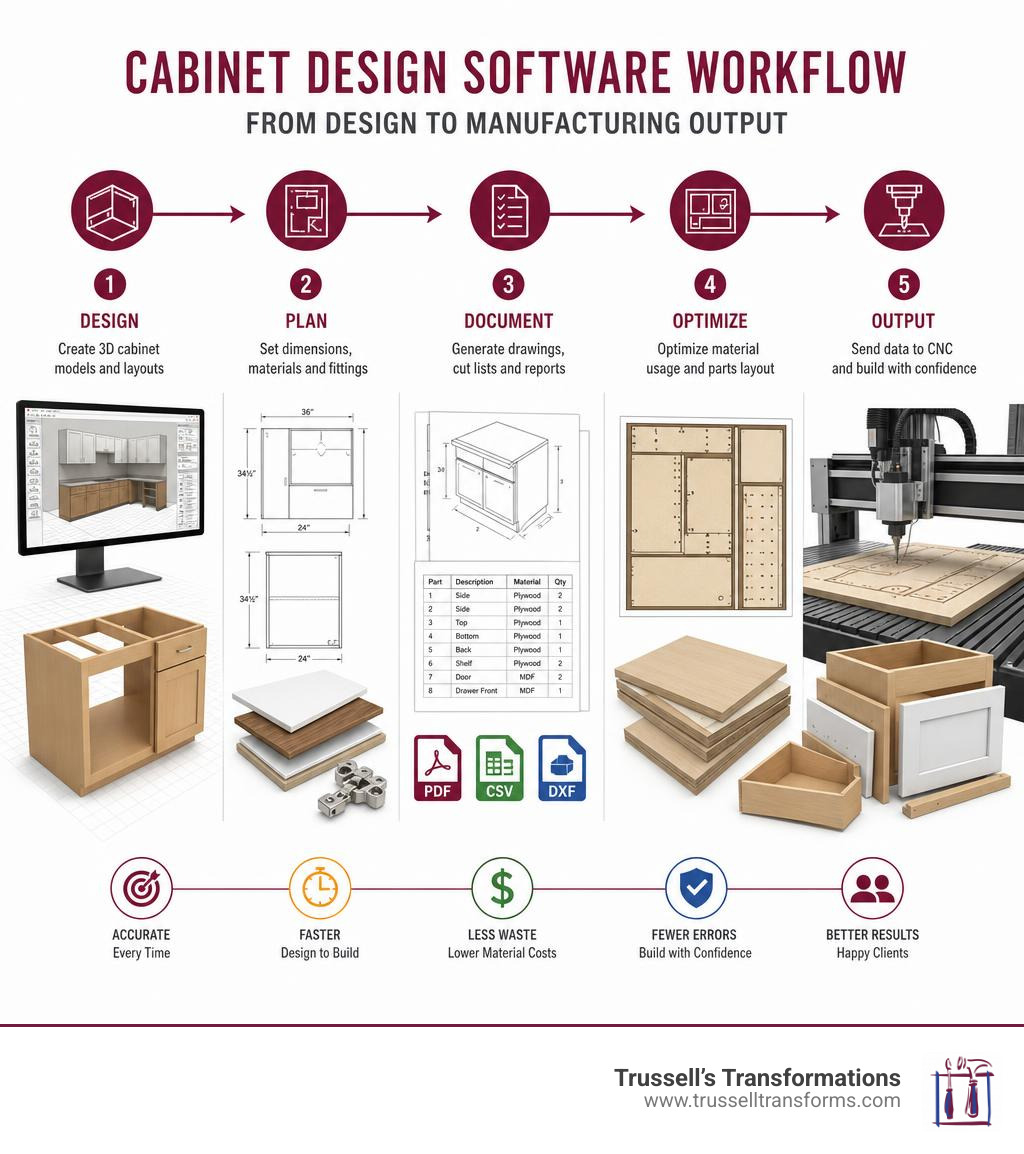
- Photorealistic 3D Rendering & Panoramas: Your software should allow you to switch instantly from a 2D floor plan to a high-resolution 3D model. This helps you catch design flaws—like doors colliding or tight clearances—long before fabrication begins.
- Automated Cut Lists: The software should translate your 3D design into an accurate, itemized parts list. When you adjust a cabinet’s overall width, the software must dynamically resize every internal shelf, back panel, and face frame component automatically.
- Panel Optimization (Nesting): This feature arranges your cut parts onto raw sheet goods to maximize material yield. It tells you exactly how many sheets of plywood or MDF to buy and how to cut them with minimal waste.
- CNC Integration: For shops using CNC routers, the software should generate machine-ready G-code directly from the design. This eliminates the need to manually program toolpaths in separate CAM software.
- Job Costing and Pricing: A great cabinet tool calculates job costs in real time based on material selections, hardware, door styles, and labor.
For a comprehensive look at how these features function in a single unified package, check out the options provided by Cabinet Design Software – 3D, Cut List, Job costing, pricing … , which excels at turning virtual designs into precise, price-calculated manufacturing outputs.
Top Cabinet Design Software Options for 2026
The cabinet design landscape in 2026 offers highly specialized tools tailored to different business models, production methods, and budgets. Let’s look closer at how the leading platforms compare.
For those running a production shop or looking for a seamless design-to-CNC pipeline, Cabinet Design Software for CNC & Cutlists | CabBuilder for … is an incredibly intuitive choice that streamlines the transition from client approval to machine code in seconds.
Choosing the Best Cabinet Design Software for Professionals
For professional shops, software is an investment in production speed and accuracy. The primary goal is to link the design office directly to the shop floor.
- Mozaik CNC ($195/month): Widely considered the gold standard for CNC-equipped cabinet shops, Mozaik CNC offers true-shape nesting, automatic hardware boring, flipside operations, and instantaneous G-code generation. It is designed specifically to run seamlessly with major CNC router brands, allowing you to launch production in days rather than weeks.
- Mozaik Manufacturing ($95/month): If your shop relies on traditional table saws rather than CNC machinery, this tier offers the same powerful design engine, customizable cabinet libraries, and detailed assembly sheets without the added cost of G-code generation.
- Pro100: This standalone desktop program is a favorite for custom cabinet makers who want a simple, non-subscription platform. It allows you to build custom catalogs, import external 3D files (like
.OBJor.3DS), and handle complex custom moldings using a built-in Shape Editor. - XDesignPRO: Developed by DDX Software Solutions, this is a heavy-duty CAD/CAM workspace tailored for professional woodworkers who require parametric furniture design, multi-material management, and deep integration with advanced manufacturing machinery. You can explore its full capabilities at XDesignPRO | DDX Software Solutions .
Selecting the Right Cabinet Design Software for DIYers and Hobbyists
If you are a hobbyist building garage storage or a homeowner planning a single DIY kitchen remodel, you don’t need enterprise-level CNC integration. You need affordability, a gentle learning curve, and accurate manual cut lists.
- Cabinet Planner ($69.95 one-time): This is the most cost-effective dedicated cabinet tool on the market. With no monthly subscription fees, it allows you to design kitchens, entertainment centers, and vanities quickly. Most users can set up their construction standards and start generating accurate cut lists in just a few hours.
- PolyBoard (Free Version): PolyBoard is a highly advanced design tool that offers a unique hybrid pricing model. The design software itself is completely free to download and use. While the free version restricts direct manufacturing outputs, you can use their paid CabinetFile service to process your completed designs into professional PDF cut lists and DXF files on a project-by-project basis.
- Quick3DPlan: If you want a fast, straightforward way to design a kitchen layout and generate 3D visuals without getting bogged down in complex joinery settings, Quick3DPlan is an excellent choice. It offers a 7-day free trial and a low-cost subscription model.
- KitchenDraw: Operating on a unique pay-per-hour model (approximately 3.90 EUR/hour), KitchenDraw is ideal for occasional designers. You only pay for the active design hours you use, and your hours never expire. It features automated tools for placing countertops, worktops, and tiles. You can download the software and access standard catalogs directly via KitchenDraw .
For hobbyists or carpenters looking for a balanced CAD solution backed by industry-standard design tools, Autodesk also offers excellent options. Learn more about their specialized workflows at Professional Cabinet Design Software for Carpenters and DIYers .
Specialized Cabinet Tools vs. Generic CAD Software
When deciding on a design platform, woodworkers often wonder if they should use specialized cabinet software or generic CAD programs like SolidWorks, AutoCAD, or SketchUp.
| Feature | Specialized Cabinet Software (e.g., Mozaik, Pro100) | Generic CAD Software (e.g., SolidWorks, SketchUp) |
|---|---|---|
| Design Speed | Extremely fast (drag-and-drop cabinets) | Slower (must draw every panel manually) |
| Joinery & Hardware | Automatic (dadoes, hinges, drawer slides) | Manual modeling required |
| Dynamic Resizing | Perfect (stretches dynamically) | Requires complex parametric constraints |
| Cut List Generation | Instant, 100% accurate | Requires third-party plugins or manual export |
| Learning Curve | Days to weeks | Months to years |
Generic CAD software is incredibly powerful for modeling complex, organic shapes, but it lacks built-in woodworking intelligence. In a program like SolidWorks, if you change a cabinet’s height, you must manually adjust or carefully program the parametric relationships for the backs, face frames, and side panels so they update correctly.
Specialized cabinet design software, by contrast, “knows” what a cabinet is. It understands that a cabinet consists of a deck, sides, a back, and a face frame. When you change the overall dimensions, the software automatically recalculates every individual part’s dimensions based on your pre-defined construction rules (such as dado depths or pocket hole locations) in seconds.
If you are trying to decide whether a standardized modular layout or a completely custom-built approach is right for your home, take a look at our detailed breakdown: Should I Choose Pre-Made or Custom Built Cabinets?.
Frequently Asked Questions about Cabinet Design Software
How long does it take to learn cabinet design software?
The learning curve depends heavily on the software’s complexity. Simple programs like Cabinet Planner or Quick3DPlan can be mastered in just a few hours. Professional packages like Pro100 or Mozaik generally take a few days of dedicated training to set up your shop’s construction standards (such as joinery types, hardware spacing, and material catalogs). Once configured, designing a standard kitchen takes only about 20 minutes.
Can I use cabinet design software for CNC machining?
Yes, but you must choose a software tier that specifically supports CNC output (like Mozaik CNC or CabBuilder). These programs automatically nest your parts, apply toolpaths for cutting, drilling, and dadoing, and generate the G-code required by your specific CNC router.
Is there free cabinet design software with cut list capabilities?
Yes. PolyBoard allows you to use its full design suite for free. To get your cut lists, workshop plans, and DXF files without buying the full software, you can subscribe to their Premium Support and use their CabinetFile service to process your designs on a per-project basis.
Conclusion
At Trussell’s Transformations, we know that great spaces start with smart designs. While cabinet design software is an incredible asset for planning and visualizing, translating those digital models into flawless, real-world installations requires experienced hands.
If you are ready to upgrade your kitchen or bathroom, we are here to help. As Albuquerque’s premier home renovation specialists, we offer a true one-stop-shop experience. You can visit our showroom at 8023 Edith Blvd NE, Albuquerque, NM 87113 to explore premium cabinetry and countertop options in person.
We proudly feature industry-leading cabinet brands, including:
- Durasupreme Cabinetry
- Waypoint Living Spaces
- Sollid Cabinetry
- Kitchen Cabinet Distributors
To complete your dream space, we offer gorgeous, durable countertops from top-tier brands like Caesarstone, Cambria, Silestone, and The Stone Collection.
Whether you want to take on parts of the project yourself with our DIY-friendly options or sit back while our licensed, insured contractors handle the entire installation from start to finish, we customize our services to fit your needs. With over 25 years of local experience in Albuquerque, Rio Rancho, and Bernalillo County, and flexible 0% financing options, we make home transformations seamless and affordable.
To learn more about our local craft and how we bring custom spaces to life, check out these helpful resources:
- Explore our custom options: Transform Your Space with Trussells Custom Cabinets
- Learn about the local standard of work: The Art of Craftsmanship: Cabinet Makers in Albuquerque
- Know what to look for when shopping: 5 Questions to Ask When Shopping for Cabinets at a Cabinet Store in Albuquerque
- Find our location details on Trussell’s Transformations – Albuquerque, NM – MapQuest .
Ready to turn your virtual kitchen design into a beautiful reality? Schedule a Consultation with Trussell’s Transformations today, and let’s build something amazing together!
Recent Comments